How do I hide my document from search engines?
Updated 2026-04-17
NOTE: It’s not possible to say exactly how long it takes for Google to re-index a page. It depends on how often the URL is updated, and that is controlled by Google, not by TRUE.
Each recipient has the option to hide their documents from the public - this can be easily done by following the steps below:
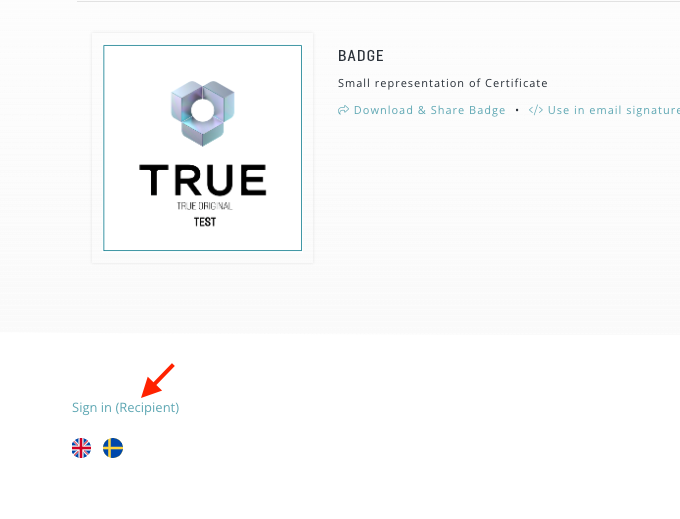
1. Open the document in your browser
If you are not logged in, you can do so at the bottom of the page.
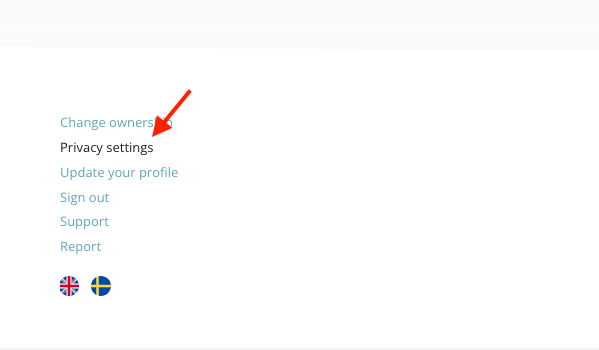
2. Click on "Privacy Settings"
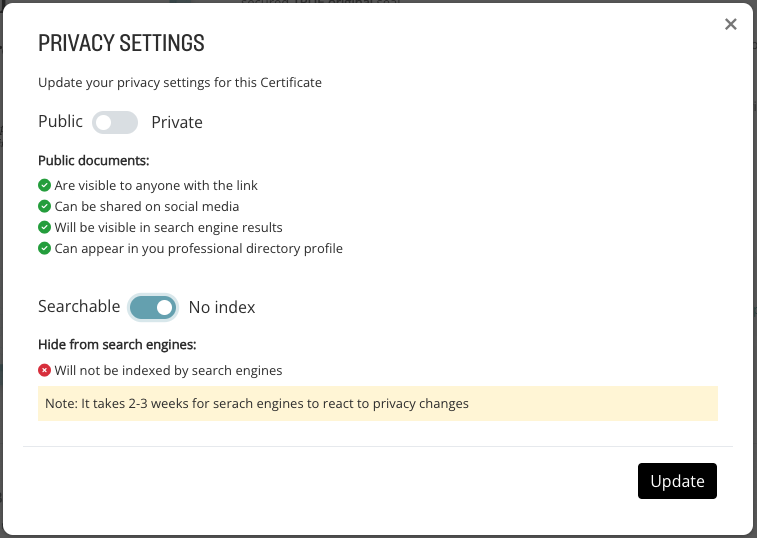
3. Check the "No index" option if you want to hide it from search engines.
NOTE: It can take up to 3 weeks for search engines to update their indexes and reflect your changes.
If you also want to make the document private and place it behind a password, check the "Private" option.
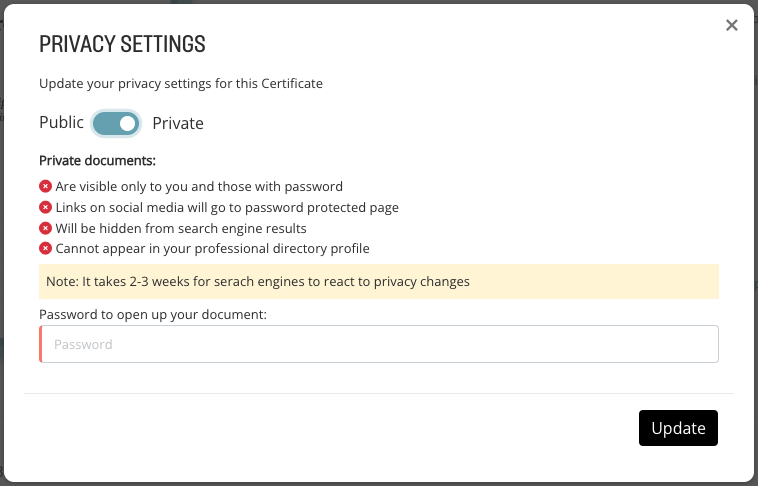
This setting also hides it from search engines, but with the password, one can access the document.
4. Click on "Update"
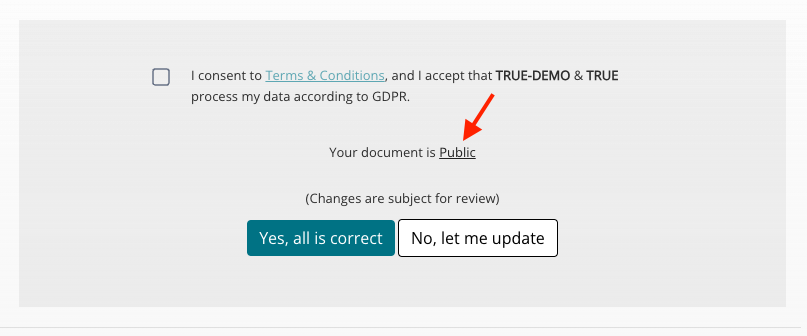
Note: As a recipient, you can also choose to place your document behind a password when you accept GDPR and provide your contact information. See the example below:
Still need help?
Our support team answers questions this article does not.
Contact support