Adding DNS records to Loopia
Uppdaterad 2024-08-05
This guide is designed to point you in the right direction when it comes to adding or modifying DNS records with Loopia. The process for doing this is quite similar across various registrars and DNS managers, so even if you're not using Loopia, you might find this guide useful.
Disclaimer
Making changes to your DNS records is something you should approach carefully, as doing it incorrectly can cause issues with your current setup. If you're comfortable making these changes on your own, go ahead. However, if you're not sure, it's perfectly fine to share these instructions with your IT person, and they'll know what to do. The good news is that as long as you follow these steps carefully, there shouldn't be any permanent damage. So, feel free to follow along, and you'll be just fine! 😊
Step 1 - Login to your domain (Loopia)
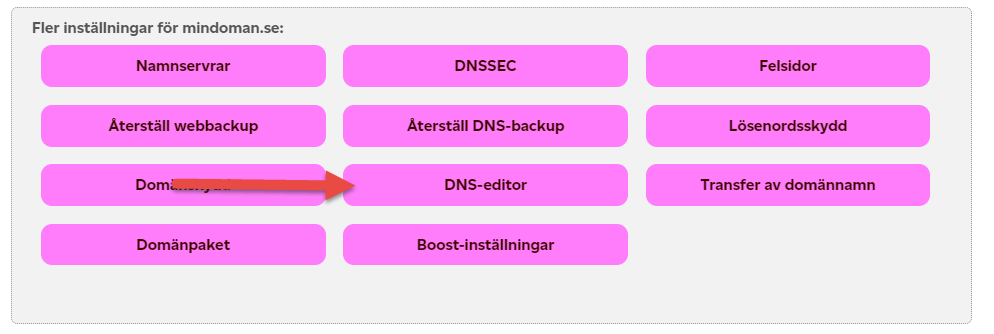
Step 2 - Find the settings for your domain and select DNS-Editor
Step 3 - Overview of current DNS settings
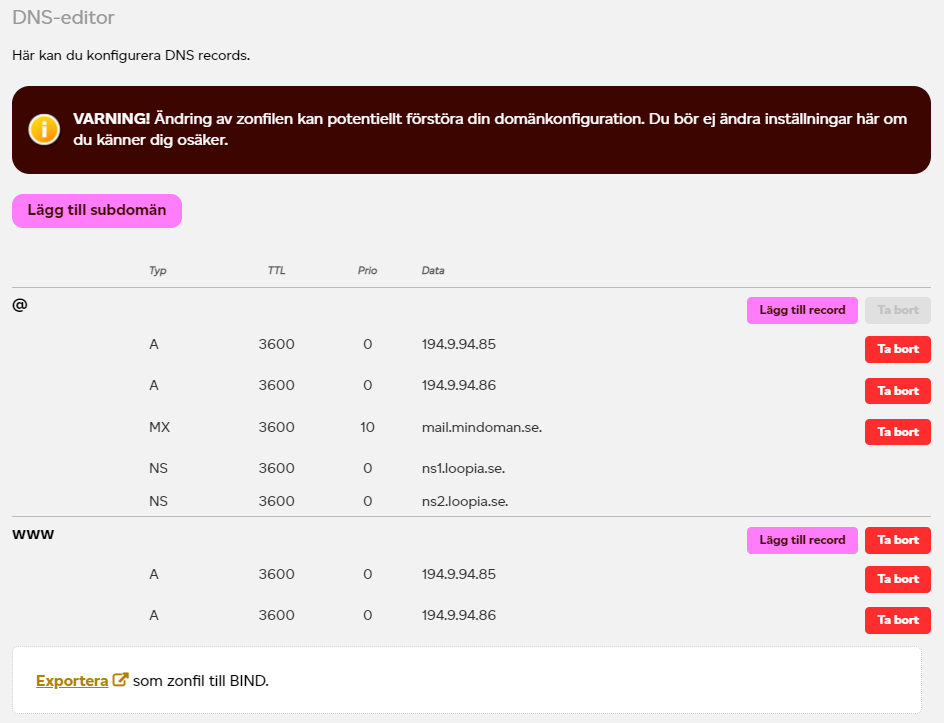
In this step you will be presented with your current DNS settings, please leave the current setting as is, otherwise problems with your current services could occur. Only add the records provided by our instructions, there is no need to remove anything. For Loopia specifically, only add records to under "www". Start by pressing "Lägg till record" / "Add record" button.
Step 4 - Adding DNS records
After pressing the button above, you'll be presented with the following popup / modal. This is where you add the settings provided by our instructions.
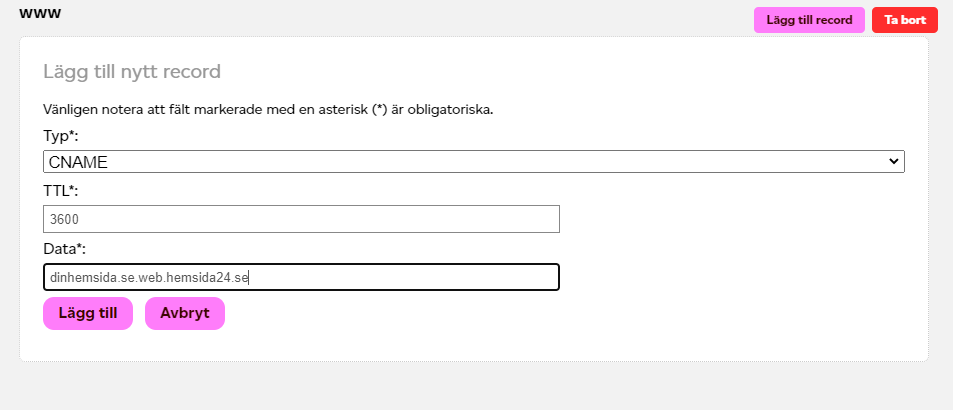
For email settings, they usually look like this - repeat the step for each value:
| Type | Host | Value |
|---|---|---|
| CNAME | true-email | u123456789.wl123.sendgrid.net |
| CNAME | s1._domainkey | s1.domainkey.u123456789.wl123.sendgrid.net |
| CNAME | s2._domainkey | s2.domainkey.u123456789.wl123.sendgrid.net |
For domain settings:
| Type | Host | Value |
|---|---|---|
| CNAME | true | apps.trueoriginal.com |
After adding these records, please keep in mind that it could take up to 72h before they are recognized by all DNS-servers.
Best of luck!
Behöver du mer hjälp?
Vår support svarar på frågor som artikeln inte tar upp.
Kontakta supporten