Share a TRUE certificate as a merit on LinkedIn
Updated 2026-06-18
To enter a competence as a license / certificate, where you can press "see legitimation", as shown below: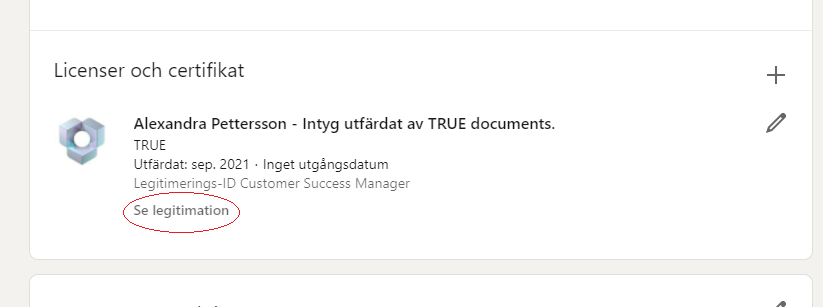
Click on "add on" and select the LinkedIn icon on the page for your document (see image):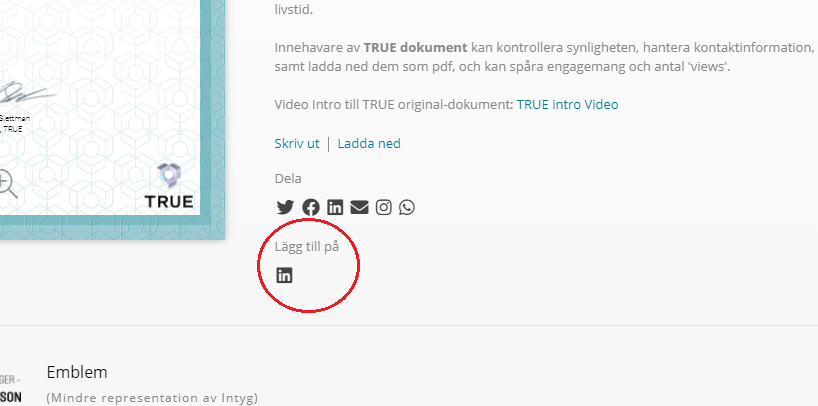
Then fill in:
1. Issuing organization: The company that issued the document.
2. Date.
3. Credentials / ID: The competency that the certificate strengthens.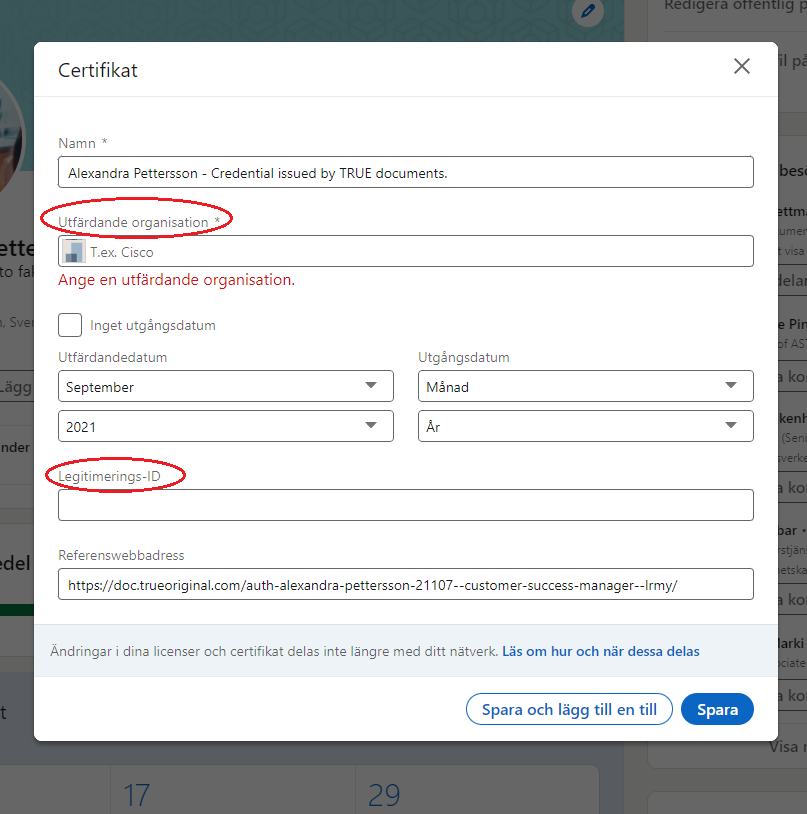
Still need help?
Our support team answers questions this article does not.
Contact support